Recharging a mobile number through UPI usually takes less than a minute. You select a plan, enter the number, choose UPI, and complete the payment.
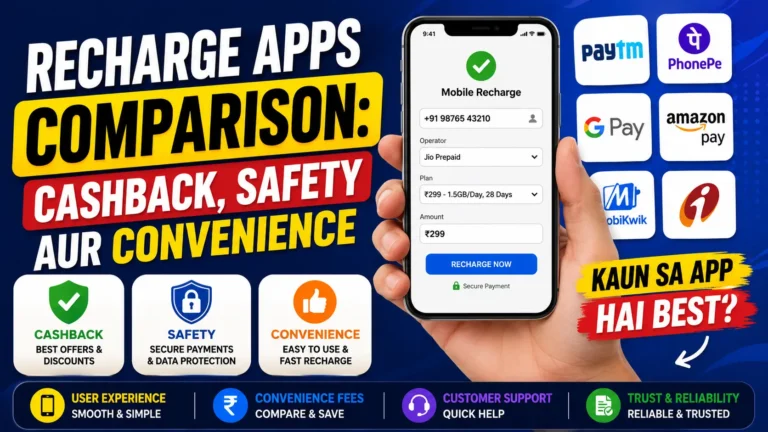
Because the process feels so quick and familiar, many people tap the payment button without properly checking the details. That small moment of carelessness can result in a recharge being completed on the wrong number, for the wrong operator, or with an unsuitable plan.
The biggest mistake you should avoid is approving the UPI payment before verifying every recharge detail.
Always Check the Mobile Number Before Paying
A single incorrect digit can send the recharge to someone else’s mobile number. Once a successful recharge has been processed, reversing it may be difficult because the service has already been delivered to the entered number.
Before entering your UPI PIN, read the mobile number again from beginning to end.
Do not depend only on the saved contact name. An old number may still be stored in your phone, or a family member may have changed their SIM card recently.
A few extra seconds of checking can prevent an unnecessary loss.
Confirm the Mobile Operator and Circle
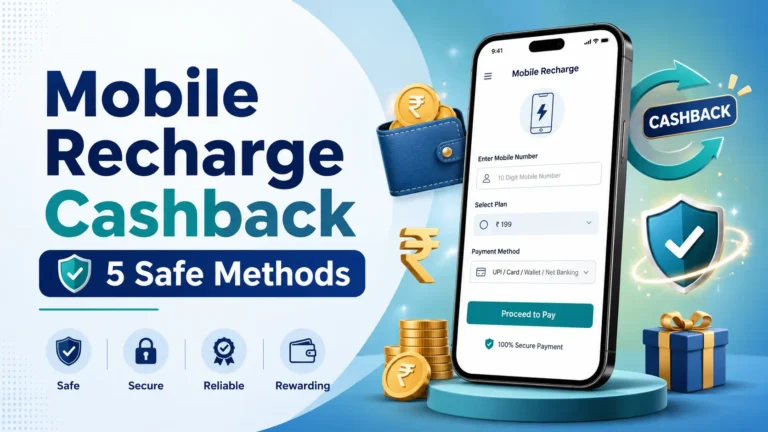
Sometimes a mobile number may have been ported from one network to another. Your recharge platform may automatically detect the operator, but automatic detection is not always something you should follow without checking.
Confirm the following details:
- Mobile number
- Current telecom operator
- Prepaid or postpaid connection
- Applicable telecom circle or region
- Recharge amount
When recharging for another person, ask them to confirm their current network before making the payment.
Read the Plan Benefits Carefully
Recharge plans with similar prices may offer completely different benefits.
One plan may provide daily data, while another may offer only total data. Some plans may include unlimited calls, whereas others may be data vouchers that work only when an active base plan is already available.
Before paying, check:
- Plan validity
- Daily or total data allowance
- Calling benefits
- SMS allowance
- Existing-plan requirements
- Additional subscriptions or promotional benefits
Do not select a plan only because it is marked as “popular” or “recommended.” Choose it according to your actual usage and requirements.
Verify the Receiver or Merchant Name
Your UPI app normally shows the receiver or merchant details before the payment is approved. Take a moment to check whether the displayed name appears connected to the recharge platform you are using.
NPCI’s UPI safety guidance recommends checking the receiver’s name before confirming a transaction.
Stop the payment when:
- The receiver’s name looks completely unrelated.
- The app redirects you to an unknown payment page.
- You receive an unexpected collect request.
- Someone asks you to pay through a personal UPI ID.
- The amount shown is different from the recharge amount.
Return to the official recharge application or website and start the transaction again when something looks unusual.
Enter Your UPI PIN Only to Make a Payment
Your UPI PIN is used to authorize money leaving your bank account. You do not need to enter the PIN to receive cashback, accept a refund, win a reward, or receive money from another person.
NPCI specifically advises users to enter their UPI PIN only when deducting money from their account.
Never share your:
- UPI PIN
- Debit card PIN
- OTP
- Banking password
- Screen-sharing access
A genuine customer-support representative should not ask you to reveal these confidential details.
Avoid Unknown Cashback and Recharge Links
You may receive messages claiming that a special recharge link provides an unusually large cashback or reward.
Instead of opening the link directly, visit the payment app, telecom operator’s application, or official website yourself. Check whether the same offer appears in its official rewards or promotions section.
Remember that cashback offers may have conditions such as:
- Minimum recharge value
- Selected payment method
- Limited promotional period
- New-user eligibility
- Maximum cashback limit
- Reward credited after a waiting period
Do not assume that every recharge will receive cashback. Read the offer terms before completing the payment.
What Should You Do After the Payment?
Once the UPI payment is completed, wait for the recharge confirmation from both the payment platform and the telecom operator.
Check whether:
- The UPI transaction shows as successful.
- The recharge platform confirms the order.
- The operator sends a plan-activation message.
- The correct validity and benefits appear in the operator’s app.
Save the transaction reference number until the recharge is confirmed.
When a payment is successful but the recharge is still pending, avoid immediately making another payment. First check the order status or contact the platform through its official support section. Otherwise, you may accidentally pay twice.
What If You Recharged the Wrong Number?
Open the recharge platform’s official help section and report the issue as soon as possible. Keep the following information ready:
- Transaction reference number
- Recharge amount
- Date and time
- Incorrect mobile number
- Intended mobile number
- Operator name
A refund or correction may not always be possible after a successful recharge, but reporting the issue quickly gives the support team the correct information to review it.
Do not contact unofficial “customer-care” numbers found in random social-media posts or comments.
Final Thoughts
UPI makes mobile recharge quick and convenient, but speed should not replace basic checking.
Before entering your UPI PIN, pause for a few seconds and verify the mobile number, operator, plan, recharge amount, and receiver details. This simple habit can help you avoid wrong recharges, unsuitable plans, duplicate payments, and suspicious payment requests.
Disclaimer: This article is provided for general awareness and educational purposes. Recharge reversals, refunds, plan benefits, cashback eligibility, and processing times depend on the telecom operator, bank, UPI application, and recharge platform’s applicable terms and policies.