Mobile recharge apps have made it possible to recharge a prepaid number or pay a postpaid bill within a few seconds. Open the app, select the operator, choose a plan, complete the payment, and the recharge is usually processed shortly afterward.
The difficult part is deciding which recharge app to use.
One app may advertise cashback, another may provide a cleaner experience, and a third may make it easier to manage several mobile numbers. However, the app displaying the largest reward is not automatically the best choice.
A useful recharge app should offer a reasonable balance of:
- Genuine cashback or discounts
- Secure payment options
- Clear recharge-plan information
- Transparent fees
- Reliable order tracking
- Accessible customer support
- A simple and convenient user experience
Let us compare recharge apps based on these factors without assuming that one platform will be best for every user.
The Quick Answer
Choose a recharge app that:
- Clearly displays the final payable amount.
- Supports a payment method you already trust.
- Shows complete plan details before payment.
- Provides a transaction receipt and order history.
- Offers official customer support.
- Does not require unnecessary permissions.
- Gives cashback only under clearly stated conditions.
Cashback can be useful, but security, plan accuracy and payment reliability should come first.
1. Cashback and Promotional Offers
Cashback is often the first thing users notice while comparing recharge apps. Some platforms may provide:
- Instant discounts
- Promotional cashback
- Scratch cards
- Reward points
- Discount coupons
- Bank-specific offers
- New-user benefits
- Referral rewards
These offers can reduce your effective recharge cost, but they usually come with conditions.
An offer may require:
- A minimum recharge amount
- A selected telecom operator
- A particular payment method
- A promotional code
- First-time usage
- Completion within an offer period
- A specific account or user segment
Therefore, a message such as “Get up to ₹100 cashback” does not mean every recharge will receive ₹100.
The reward could be smaller, limited to selected users, credited later, or provided as points rather than withdrawable money.
Questions to Ask Before Using an Offer
Before paying, check:
- Is the cashback guaranteed or eligibility-based?
- Is there a minimum recharge amount?
- What is the maximum benefit?
- When will the reward be credited?
- Is it real cashback, a coupon or reward points?
- Can the reward be used on your next recharge?
- Does the offer apply to your account?
Google’s publishing policies do not allow preview content that misleads users by promising benefits that are not reflected in the actual content. That is why both publishers and recharge platforms should present promotional conditions clearly.
2. Payment Safety
A good cashback offer is not valuable if the payment process is unsafe.
UPI is an instant payment system developed by the National Payments Corporation of India, an RBI-regulated entity. It allows users to make payments through supported applications without manually entering complete bank-account details for every transaction.
However, users still need to follow basic safety practices.
Check the Receiver Before Paying
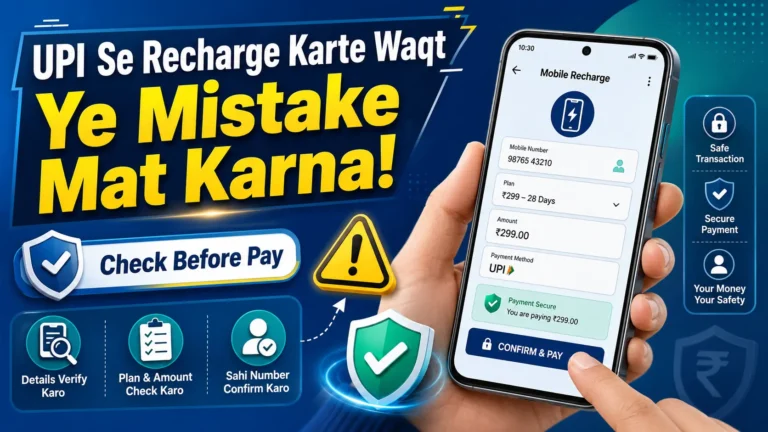
Before entering your UPI PIN, review:
- The mobile number
- The telecom operator
- The plan amount
- The final payable amount
- The merchant or receiver name
Stop the transaction when the receiver name looks unrelated to the recharge platform.
Keep Payment Information Private
Never share your:
- UPI PIN
- OTP
- Debit or credit card PIN
- CVV
- Internet-banking password
- Complete card details
The Reserve Bank of India advises users not to share passwords, PINs, OTPs, CVVs or UPI PINs. It also recommends avoiding financial transactions over open or free public Wi-Fi networks.
Enter a UPI PIN Only to Authorise Payment
You do not need to enter your UPI PIN to receive money, get a refund or claim cashback.
Be suspicious when someone says:
- “Enter your PIN to receive cashback.”
- “Approve this collect request for a refund.”
- “Install this app so we can reverse your recharge.”
- “Share your screen so we can solve the problem.”
Use only the official help section available inside the recharge app or on its verified website.
3. Convenience and Ease of Use
Convenience means more than completing a recharge quickly.
A user-friendly recharge app should make it easy to:
- Save frequently used numbers
- Identify the correct operator
- View plan validity and benefits
- Compare available plans
- Download payment receipts
- Track pending transactions
- Repeat a previous recharge
- Manage several family numbers
- Find customer-support options
The best interface is one that helps users make the correct decision—not simply the fastest payment.
Plan Information Should Be Easy to Understand
Recharge plans with similar prices can have very different benefits.
One plan may provide:
- Daily mobile data
- Unlimited voice calls
- SMS benefits
- A specific validity period
Another plan with a similar price may be:
- A data-only voucher
- A validity extension
- A talk-time top-up
- An add-on requiring an active base plan
A recharge app should clearly explain these differences before payment.
4. Recharge Speed and Reliability
Most users expect a mobile recharge to be activated soon after payment. However, occasional delays can happen because of issues involving:
- The recharge platform
- The telecom operator
- The bank
- The payment gateway
- Network connectivity
- Temporary system maintenance
A reliable app should display an accurate transaction status such as:
- Successful
- Processing
- Pending
- Failed
- Refunded
It should also provide a reference number that can be used when contacting support.
Avoid Paying Twice
When money has been deducted but the recharge is showing as pending, do not immediately make another payment.
First:
- Check your order history.
- Review messages from the telecom operator.
- Wait for the stated processing period.
- Use the official support section.
- Keep the payment reference number ready.
Making a second payment too quickly may result in two successful recharges.
5. Convenience Fees and Final Cost
A platform may provide cashback while also charging a convenience fee.
For example:
- Recharge value: ₹299
- Convenience fee: ₹5
- Promotional cashback: ₹3
- Effective amount paid: ₹301
Although the user received cashback, the recharge still cost more than its original value.
This is why you should compare the final effective cost, not only the advertised reward.
Check for These Charges
Before completing the transaction, look for:
- Convenience fee
- Platform fee
- Payment-processing fee
- Card-related fee
- Applicable taxes
A trustworthy payment screen should show the complete amount before you authorise the transaction.
6. Customer Support
Recharge problems are usually simple when the app provides clear support options.
Useful support features include:
- In-app help
- Transaction-specific complaint options
- Recharge-status tracking
- Refund-status updates
- Frequently asked questions
- Support tickets
- Verified email or telephone support
Avoid customer-care numbers found in random comments, social-media posts or unofficial websites.
Fraudsters sometimes publish fake support numbers and then ask users to share OTPs, install screen-sharing apps or approve payment requests.
The RBI’s financial-awareness resources focus on digital-payment safety, consumer protection and caution around fictitious offers.
7. App Permissions and Privacy
A recharge app may need basic permissions to perform certain functions, but it should not request access that appears unrelated to the service.
Review permissions before installing or using an unfamiliar app.
Be careful when an application requests unnecessary access to:
- Your contacts
- Photos and videos
- Microphone
- Accessibility services
- Screen sharing
- SMS messages
- Device administration
Some payment apps may use SMS access for number verification, but users should still download apps only from trusted official stores and verify the publisher.
Do not install an application through an unknown APK link received in a message.
Cashback, Safety and Convenience: What Matters Most?
Here is a practical way to prioritise these factors.
Safety: Highest Priority
The app should provide a secure payment flow, clear merchant details, official support and a proper transaction record.
Convenience: Second Priority
You should be able to find the right plan, confirm the number and understand the payment status without confusion.
Cashback: Useful but Optional
Cashback should be considered an additional benefit—not the main reason to trust an unfamiliar platform.
A smaller reward on a trusted platform may be more valuable than an unusually large reward offered through an unknown link.
A Simple Recharge-App Comparison Checklist
Use this checklist before selecting an app:
| Comparison Factor | What to Check |
|---|---|
| Cashback | Eligibility, minimum amount and maximum reward |
| Reward type | Cash, coupon, points or scratch card |
| Safety | Official app, secure login and clear merchant details |
| Plan information | Validity, data, calls, SMS and plan requirements |
| Fees | Convenience fee, platform fee and taxes |
| Payment methods | UPI, card, wallet or net banking |
| Reliability | Transaction history and status tracking |
| Support | Official in-app help and complaint options |
| Privacy | Relevant permissions and verified publisher |
| Convenience | Saved numbers, repeat recharge and simple navigation |
Which Recharge App Should You Choose?
There is no single best recharge app for everyone.
Your ideal app depends on what matters most to you.
Choose Based on Cashback When:
- The offer is clearly explained.
- You already planned to make that recharge.
- There is no fee greater than the reward.
- Your account and payment method are eligible.
- The platform is trusted.
Choose Based on Convenience When:
- You manage several mobile numbers.
- You frequently repeat the same recharge.
- You want clear plan comparisons.
- You need easy access to receipts and order history.
Choose Based on Safety When:
- You are using digital payments for the first time.
- You are recharging through a new platform.
- You have received a promotional link.
- The app requests unfamiliar permissions.
- The payment receiver appears unusual.
In practice, safety should always remain the minimum requirement, regardless of cashback or convenience.
Common Mistakes to Avoid
Selecting an App Only for a Large Cashback Claim
Read the complete terms before paying. “Up to” offers may provide different rewards to different users.
Ignoring the Recharge Plan Details
Confirm the validity, data allowance, calling benefits and base-plan requirements.
Clicking Unknown Promotional Links
Open the official recharge app yourself rather than using a link from an unsolicited message.
Sharing an OTP or UPI PIN
No genuine cashback or refund requires you to disclose confidential payment credentials.
Ignoring Convenience Fees
Check whether the extra fee is higher than the expected cashback.
Paying Again During a Pending Transaction
Track the first order before initiating another recharge.
Frequently Asked Questions
Which recharge app gives the highest cashback?
Cashback offers change frequently and may differ by user, recharge amount, operator and payment method. Instead of relying on a permanent ranking, compare the offers visible in your account before paying.
Is cashback guaranteed on every recharge?
No. Cashback normally depends on the promotion’s eligibility requirements and terms.
Are reward points the same as cashback?
Not always. Reward points may need to be redeemed and may have limited uses or an expiry date.
Can a recharge app charge an extra fee?
Yes. Some platforms or payment methods may include a convenience or processing fee. Check the final amount before authorising payment.
Is UPI safe for mobile recharge?
UPI provides an instant bank-to-bank payment system, but users must still verify transaction details and keep their UPI PIN confidential.
What should I do when a recharge fails?
Check the transaction status, save the reference number and use the app’s official support channel. Refund and processing timelines depend on the payment platform, bank and telecom operator.
Should I save my card in a recharge app?
Use this feature only on a trusted platform and secure your device with a strong screen lock. Avoid saving sensitive payment information on unfamiliar applications.
Final Verdict
The best recharge app is not necessarily the one displaying the biggest cashback banner.
A good app should provide:
- A secure and transparent payment process
- Accurate recharge-plan information
- Clear transaction tracking
- Reasonable customer support
- A simple user experience
- Honest promotional terms
- No unexpected charges
Compare the final payable amount and read the offer conditions before completing your recharge.
Cashback may save a small amount, convenience may save time, but careful verification can help protect both your money and your mobile number.
Disclaimer: Cashback, discounts, reward points, convenience fees, recharge plans and promotional eligibility may change according to the recharge platform, payment provider, telecom operator and individual account. This article is for general informational purposes and does not guarantee rewards, savings, recharge success or refund eligibility.